mandelbrot-explorer-interactive-fractal
02/12/2025
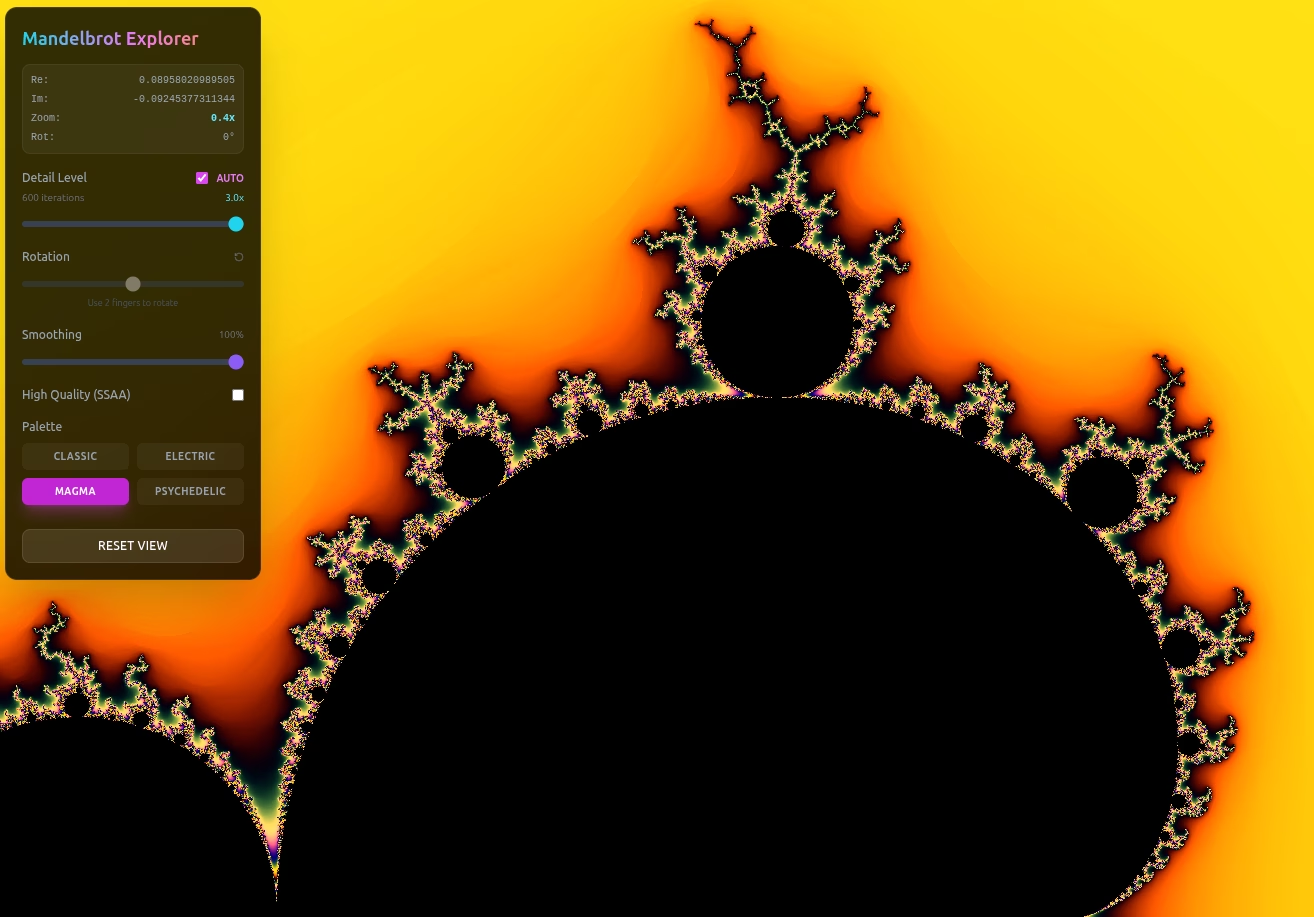

The Mandelbrot Explorer: An Interactive Visualization Tool
Link to web app: Mandelbrot Explorer

This post introduces our newest development project: an interactive, real-time visualization tool for exploring the Mandelbrot Set
.
is a dedicated web application designed to allow users to navigate, customize, and analyze this famous mathematical object. The tool is functional for anyone interested in complex numbers, fractal geometry, or computational visualization.
Understanding the Mandelbrot Set
The Mandelbrot Set is an important example of a fractal
, demonstrating self-similarity across different scales. Defined on the complex number plane by the iteration $z_{n+1} = z_n^2 + c$, the set exhibits infinite detail and complexity at its boundary.
The explorer application translates this mathematical definition into a responsive visual tool.
Interface and Control Features
The main visualization window supports real-time manipulation of the fractal view:
- Pan: Click and drag the view to translate the center point across the complex plane.
- Zoom: Use the mouse wheel or trackpad gestures (pinch) to scale the view in or out.
- Rotate: Trackpad gestures (twist) allow for rotation of the viewing frame.
Visualization Customization Options
The control panel provides parameters for fine-tuning the rendering process:
Iteration and Detail Control
The visualization quality is primarily determined by the **Maximum Iterations**, which sets the limit for running the core equation:
- Auto Mode: The application automatically correlates the iteration count with the current zoom level to balance detail and performance. The “Detail Level” slider adjusts the sensitivity of this auto-scaling function.
- Manual Mode: Disabling “Auto” allows the user to directly set the maximum number of iterations. Higher iteration counts reveal finer detail but require greater computational resources, potentially impacting render speed.
Display and Quality Settings
- Coordinates Display: Displays the current state, including the Real (“Re”) and Imaginary (“Im”) coordinates of the center point, the current zoom level, and the rotation angle.
- Smoothing: Applies an algorithm to the color mapping to reduce visual banding and achieve smoother transitions between iteration counts.
- High Quality (SSAA): Enables Supersampling Anti-Aliasing, rendering the fractal at a higher internal resolution for a sharper, more detailed final image. This setting involves a significant performance overhead.
- Palette: Provides a selection of color schemes for rendering the fractal’s escape-time values.
- Reset View: Returns the view to the initial position and zoom level.
Future Development
This application is currently in active development. We welcome feedback regarding potential feature additions, such as animation tools or if there’s any interest in support for custom fractal formulas?